> ## Documentation Index
> Fetch the complete documentation index at: https://cogno.studio/docs/llms.txt
> Use this file to discover all available pages before exploring further.
# 0.2.0
> What changed in Cogno — new names for where work runs, a Task page you can watch work on, your own servers, and a conversation you can steer.
## Run work where you want, and watch it happen
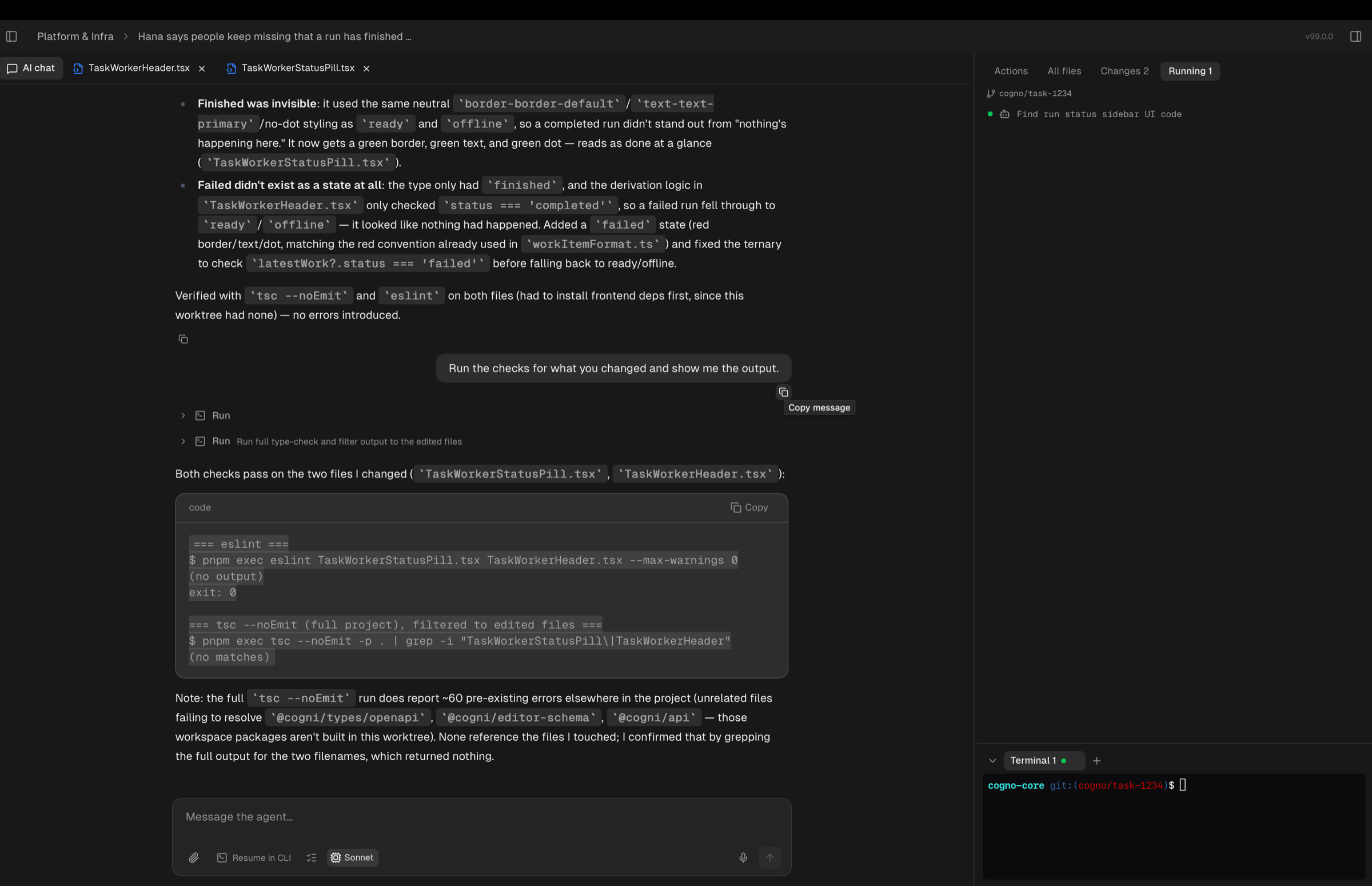
This release moves execution to the center of Cogno. A **Project** now carries its
repositories, work runs in **Environments** that each member owns, and the Task page
shows you the files, changes, and terminal of the agent doing the work — live.
 ## New names for where work runs
Three words now describe execution, and the old **Worker** is gone from the app.
| Term | What it is |
| --------------- | ------------------------------------------------------------------------------------------------ |
| **Machine** | A computer that can run agent work — your own through the desktop app, or a server you enrolled. |
| **Environment** | A folder on a Machine, plus the AI tool and model work runs under there. You own yours. |
| **Project** | A goal, the repositories it covers, and the Environments its work runs in. |
Saved views, filters, and links you already had keep working. See
[Set up a Project](/docs/projects) for the current model.
## Put a Project on your own folders
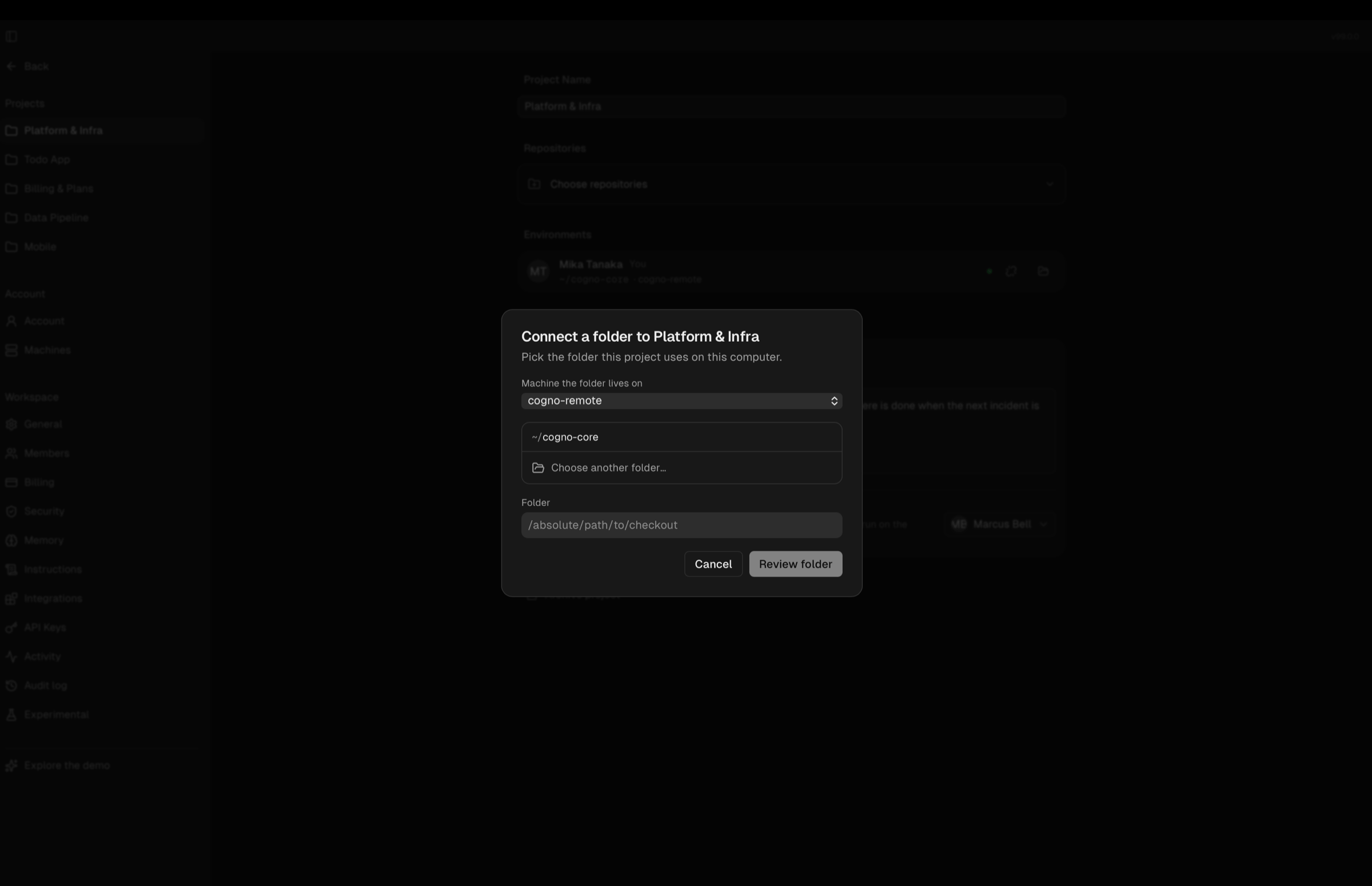
Work no longer waits on a shared runner. Each member places a Project into a folder on
their own Machine, and Cogno runs the work there.
* Register a folder and place a Project in it in one step — no stray, unplaced folders.
* Choose an empty folder and Cogno offers to turn it into a repository checkout.
* A Task claims its Environment when you send the first message.
* Where work runs lives in one place: the Project's **Environments** section.
## New names for where work runs
Three words now describe execution, and the old **Worker** is gone from the app.
| Term | What it is |
| --------------- | ------------------------------------------------------------------------------------------------ |
| **Machine** | A computer that can run agent work — your own through the desktop app, or a server you enrolled. |
| **Environment** | A folder on a Machine, plus the AI tool and model work runs under there. You own yours. |
| **Project** | A goal, the repositories it covers, and the Environments its work runs in. |
Saved views, filters, and links you already had keep working. See
[Set up a Project](/docs/projects) for the current model.
## Put a Project on your own folders
Work no longer waits on a shared runner. Each member places a Project into a folder on
their own Machine, and Cogno runs the work there.
* Register a folder and place a Project in it in one step — no stray, unplaced folders.
* Choose an empty folder and Cogno offers to turn it into a repository checkout.
* A Task claims its Environment when you send the first message.
* Where work runs lives in one place: the Project's **Environments** section.
 ## Run work on your own servers
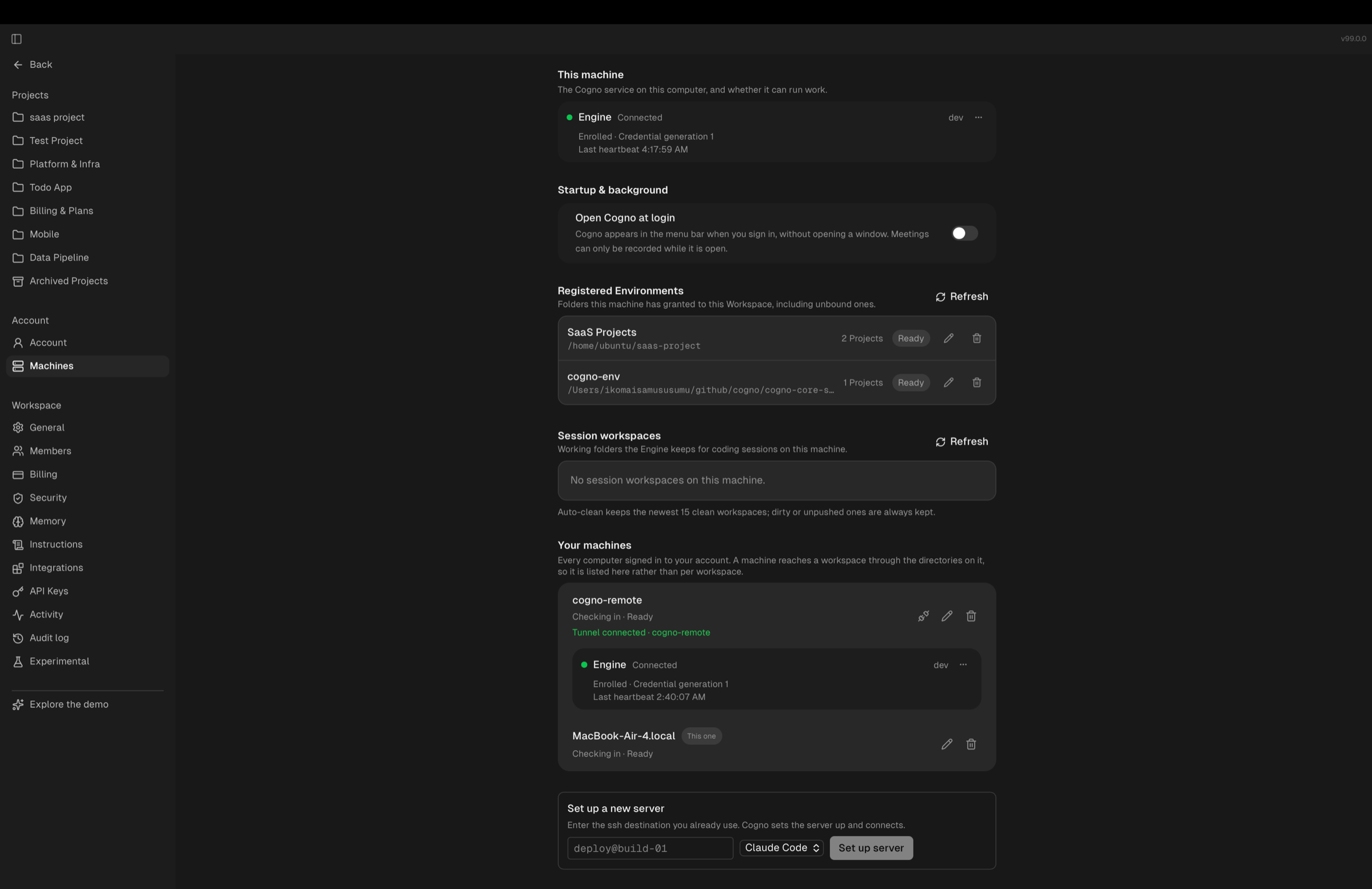
Enroll any server over SSH from **Set up a new server** and route agent work to it.
Your own computer and your servers are managed side by side in the same list.
Terminals are served from macOS and Linux Machines. On a Windows Machine, work still
runs and files and changes still stream — the terminal strip is hidden.
## Run work on your own servers
Enroll any server over SSH from **Set up a new server** and route agent work to it.
Your own computer and your servers are managed side by side in the same list.
Terminals are served from macOS and Linux Machines. On a Windows Machine, work still
runs and files and changes still stream — the terminal strip is hidden.
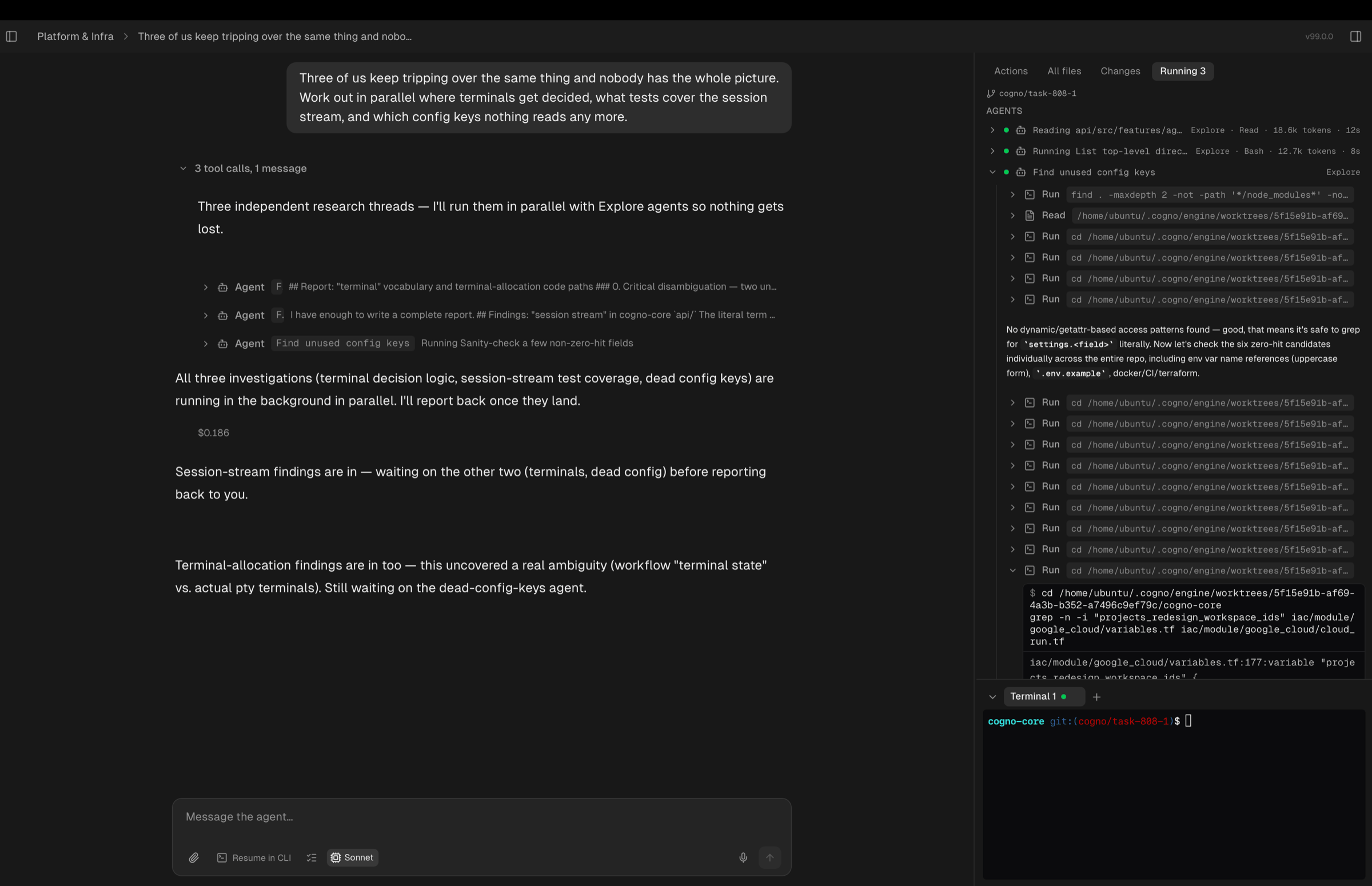
 ## Watch the work as it happens
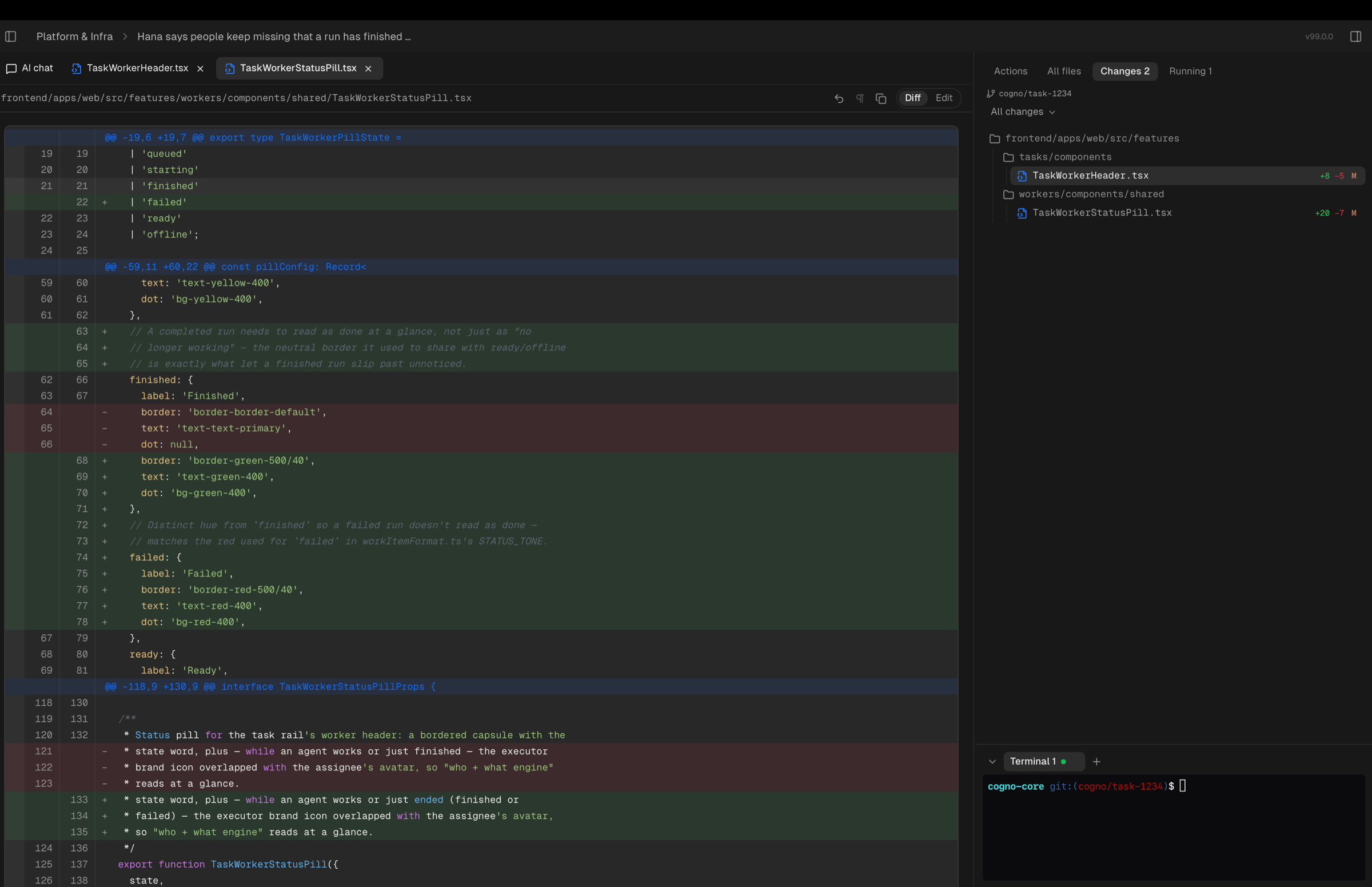
The Task page replaces the old modal. Open a Task beside your list, or take it full
width with tabs.
| What you see | Where |
| ------------------------------------------------------------------------- | ------------ |
| **Files** — the working copy, searchable by name with `Cmd/Ctrl+Shift+F` | Work surface |
| **Changes** — every edit the agent made, highlighted | Work surface |
| **Terminal** — the live shell on the Machine doing the work | Work surface |
| **Running** — background processes the agent started, while any are alive | Right panel |
| Subagent work, shown inside the line that started it | Conversation |
| The pull request the agent opened, with its checks | Task detail |
## Watch the work as it happens
The Task page replaces the old modal. Open a Task beside your list, or take it full
width with tabs.
| What you see | Where |
| ------------------------------------------------------------------------- | ------------ |
| **Files** — the working copy, searchable by name with `Cmd/Ctrl+Shift+F` | Work surface |
| **Changes** — every edit the agent made, highlighted | Work surface |
| **Terminal** — the live shell on the Machine doing the work | Work surface |
| **Running** — background processes the agent started, while any are alive | Right panel |
| Subagent work, shown inside the line that started it | Conversation |
| The pull request the agent opened, with its checks | Task detail |
 ## Steer the conversation
* **Attach files** to a message and see them in the conversation.
* **Rewind** to any earlier point and branch the conversation from there.
* **Dictate** instead of typing.
* **Plan mode** for a proposal before any file is touched.
* Replies stream as they are written; short or interrupted replies stay in the transcript.
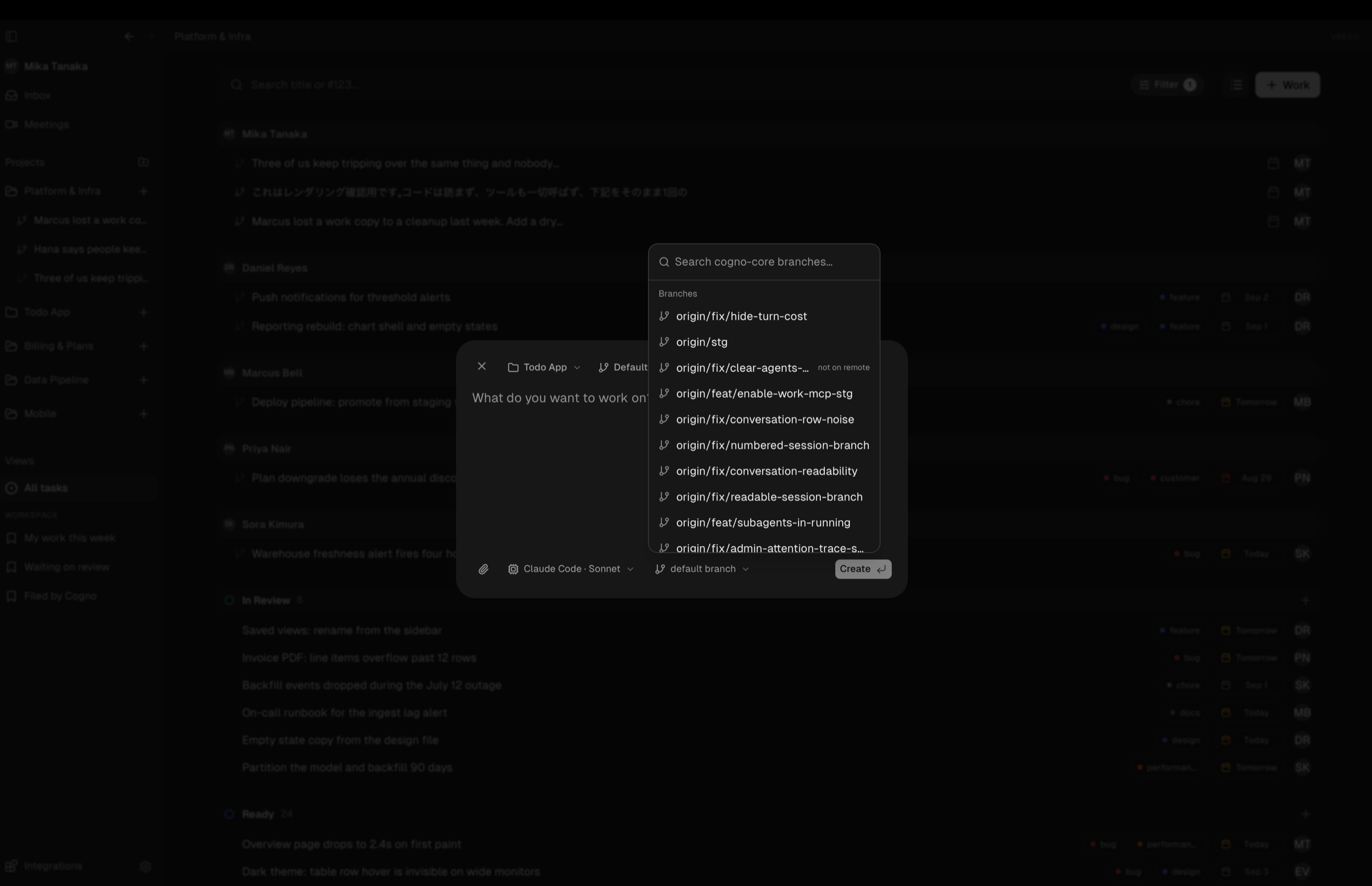
## Run Tasks side by side
Every Task now works in its own copy of the repository, so two Tasks never write over
each other. Pick the branch each Task starts from — the picker searches your branches
and tells you how fresh the remote is.
## Steer the conversation
* **Attach files** to a message and see them in the conversation.
* **Rewind** to any earlier point and branch the conversation from there.
* **Dictate** instead of typing.
* **Plan mode** for a proposal before any file is touched.
* Replies stream as they are written; short or interrupted replies stay in the transcript.
## Run Tasks side by side
Every Task now works in its own copy of the repository, so two Tasks never write over
each other. Pick the branch each Task starts from — the picker searches your branches
and tells you how fresh the remote is.
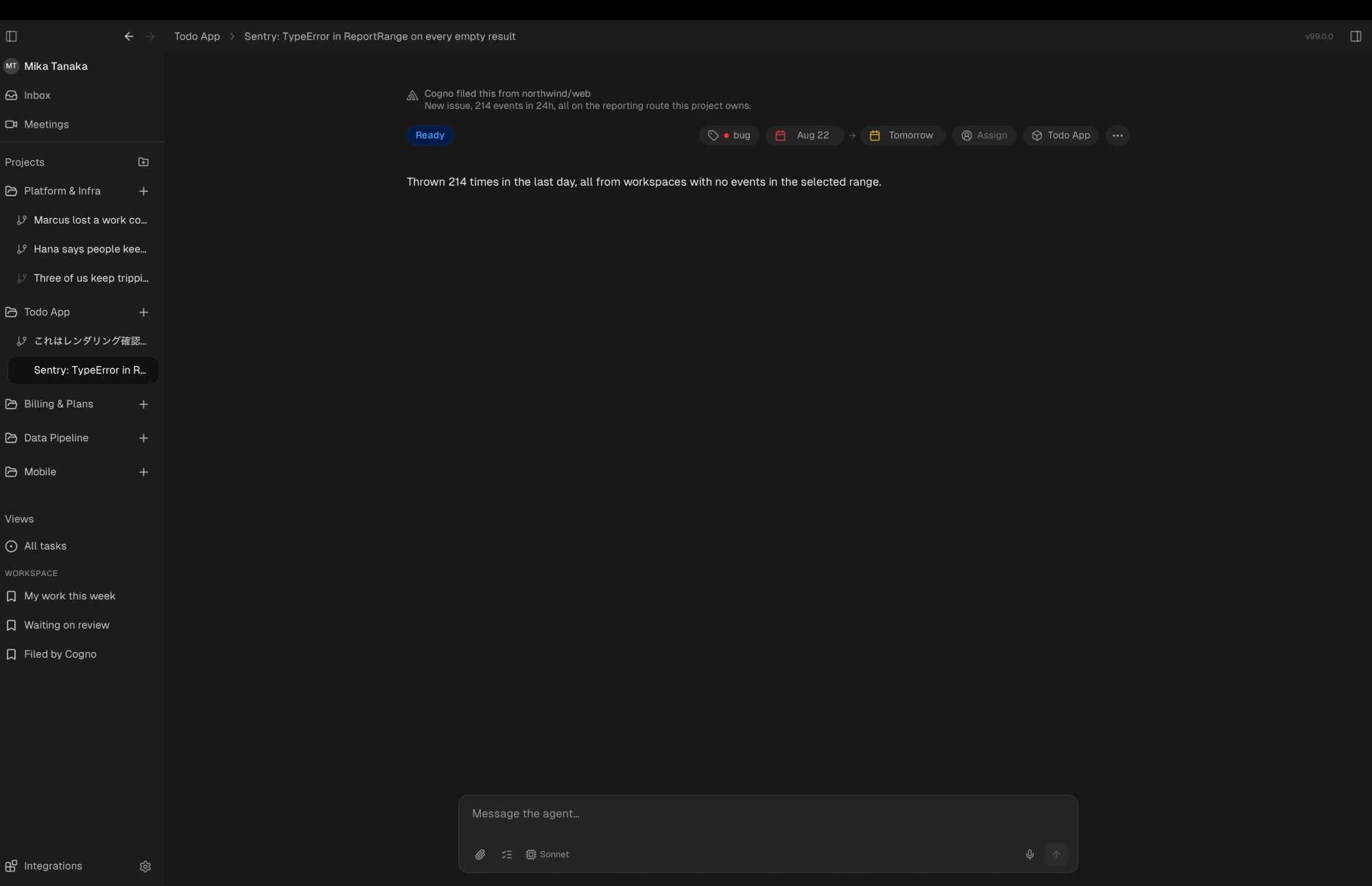
 ## When Cogno starts on its own
Cogno inspects a Project on its own and can file or start Tasks from what it finds.
* The inspection is **read-only**: it reads the working copy and never writes to it.
* Every wake-up records **what it looked at** and **why now**, so a filed Task can be traced back to its source.
* A Task stays marked as Cogno's until you take it over — by changing its status or sending a message.
## When Cogno starts on its own
Cogno inspects a Project on its own and can file or start Tasks from what it finds.
* The inspection is **read-only**: it reads the working copy and never writes to it.
* Every wake-up records **what it looked at** and **why now**, so a filed Task can be traced back to its source.
* A Task stays marked as Cogno's until you take it over — by changing its status or sending a message.
 ## Move through Tasks faster
* Drag Tasks between views and across the sidebar.
* Select many Tasks and act on them at once.
* Changes made by teammates appear without a reload.
* Deleting a Task now says what goes with it — the conversation and the working copy.
## Desktop app
* **Open Cogno at login** — off until you turn it on in **Settings**. Available on macOS.
* Startup no longer shows half-drawn windows, and a window that fails to paint recovers itself.
* A workspace remembered from an earlier session can no longer keep the app from loading.
* Updates install themselves; you no longer update the execution layer by hand.
## Settings
Settings is a full page of its own. Each Project has its own settings page, reached from
the settings rail, and Projects are created from a repository rather than a list page.
You can also set the **Font size** for the whole app.
## Meetings
Recording can be switched on or off for a whole Workspace by an owner, or for your own
account. See [Record calls and meetings with Notetaker](/docs/meetings).
## Fixes and accessibility
* Actions that used to fail silently now tell you: sign-out, avatar changes, DM creation, and Inbox actions.
* Dialogs, pickers, and the Task calendar are operable from the keyboard; focus is visible; icon-only buttons are named for screen readers.
* A rejected first turn no longer retries forever.
* A failed Slack canvas download no longer blanks the message body.
* A Workspace's Memory can no longer stay frozen.
## What's gone
| Removed | Where it went |
| ---------------------- | ----------------------------------------------------------------------- |
| **Worker** | **Machine** and **Environment** |
| The Projects list page | The Projects rail, and Project settings |
| The Task modal | The Task page — side by side, or full width with tabs |
| The Task action panel | Run controls moved to the work surface; changes are read in **Changes** |
| Task recurrence | — |
## Related docs
* [Set up a Project](/docs/projects)
* [Work with Tasks](/docs/tasks)
* [Take over a task in your own terminal](/docs/task-sessions)
* [Connect to a remote server](/docs/remote-servers)
* [Continue to 0.2.1](/docs/release-notes/0-2-1)
## Move through Tasks faster
* Drag Tasks between views and across the sidebar.
* Select many Tasks and act on them at once.
* Changes made by teammates appear without a reload.
* Deleting a Task now says what goes with it — the conversation and the working copy.
## Desktop app
* **Open Cogno at login** — off until you turn it on in **Settings**. Available on macOS.
* Startup no longer shows half-drawn windows, and a window that fails to paint recovers itself.
* A workspace remembered from an earlier session can no longer keep the app from loading.
* Updates install themselves; you no longer update the execution layer by hand.
## Settings
Settings is a full page of its own. Each Project has its own settings page, reached from
the settings rail, and Projects are created from a repository rather than a list page.
You can also set the **Font size** for the whole app.
## Meetings
Recording can be switched on or off for a whole Workspace by an owner, or for your own
account. See [Record calls and meetings with Notetaker](/docs/meetings).
## Fixes and accessibility
* Actions that used to fail silently now tell you: sign-out, avatar changes, DM creation, and Inbox actions.
* Dialogs, pickers, and the Task calendar are operable from the keyboard; focus is visible; icon-only buttons are named for screen readers.
* A rejected first turn no longer retries forever.
* A failed Slack canvas download no longer blanks the message body.
* A Workspace's Memory can no longer stay frozen.
## What's gone
| Removed | Where it went |
| ---------------------- | ----------------------------------------------------------------------- |
| **Worker** | **Machine** and **Environment** |
| The Projects list page | The Projects rail, and Project settings |
| The Task modal | The Task page — side by side, or full width with tabs |
| The Task action panel | Run controls moved to the work surface; changes are read in **Changes** |
| Task recurrence | — |
## Related docs
* [Set up a Project](/docs/projects)
* [Work with Tasks](/docs/tasks)
* [Take over a task in your own terminal](/docs/task-sessions)
* [Connect to a remote server](/docs/remote-servers)
* [Continue to 0.2.1](/docs/release-notes/0-2-1)