

A conversation you can read
The Task conversation now reads like a clean transcript. Headings, quotes, tables, and code share one typography; consecutive tool calls fold into a single expandable row; and shell output sits in a bounded, bordered surface instead of stretching the page.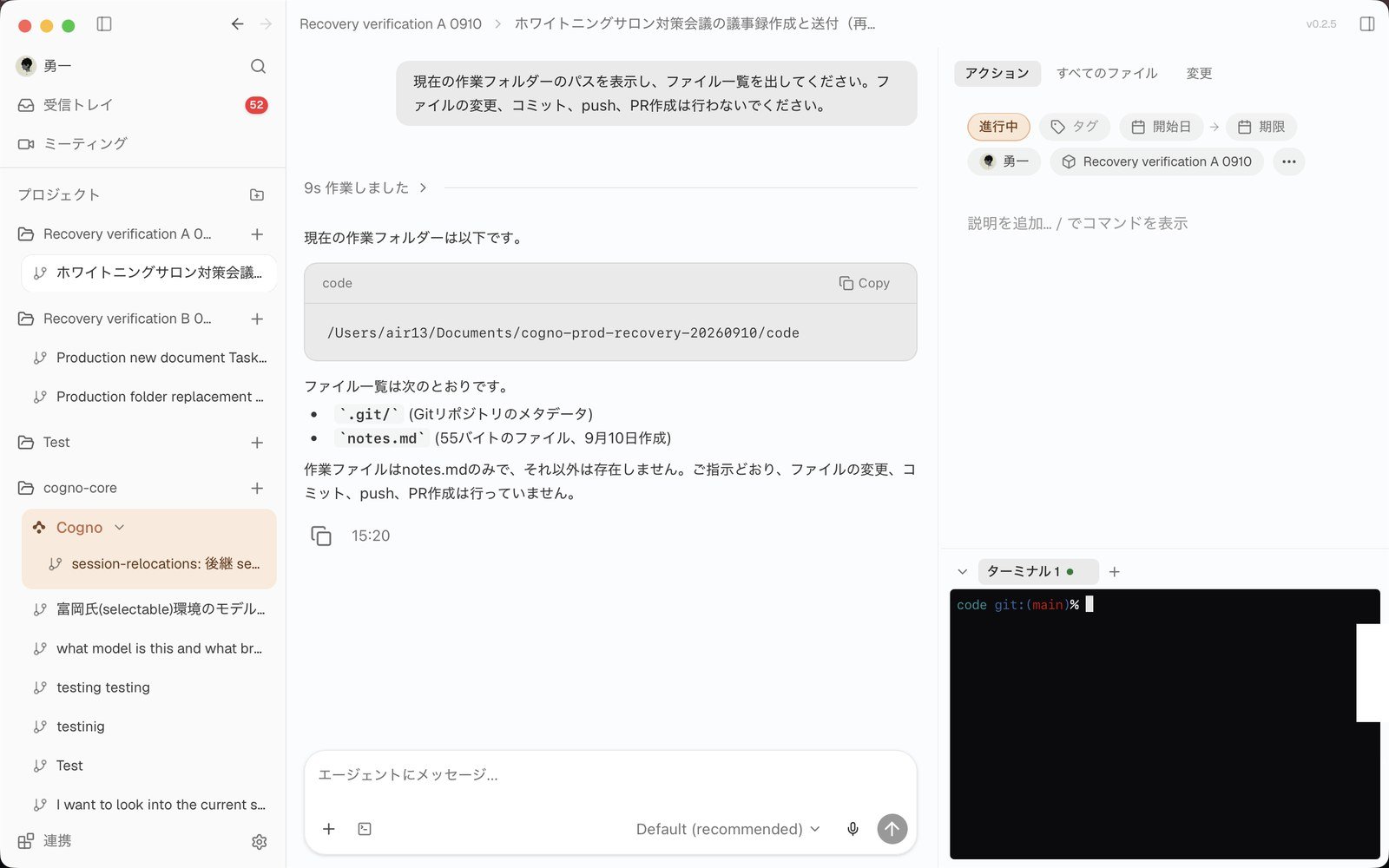
A finished turn: the prompt, the work folded under 'Worked for 9s', the answer, and a Copy + timestamp footer.
- Working / Worked for … — while Cogno works you see the elapsed time; when the turn ends the activity folds away and the prompt and final answer stay visible.
- Streaming that feels live — text arrives as the model produces it, with a short fade-in and a single-line thinking shimmer instead of a typewriter effect.
- Message footer — completed replies show Copy and a timestamp. Editing a sent message opens a full-width surface with Edit message / Cancel / Send.
- Jump to latest sits right above the composer.
- A simpler composer — Plus for attachments, the model label, and a round send / stop button. The Plan button is gone.
- Approvals in one place — Terminal, Google Calendar, Gmail, and Slack approvals render as one inline card with Show details and pill-shaped Allow / Deny. Personal connectors set to “Ask first” ask exactly once, even in Full access runs.
Choose how much freedom a run gets
Every run now has an access mode: Review changes, Auto in workspace, or Full access. Pick it from the segmented control in the composer or in Quick Create. Each Machine carries two ceilings: the maximum a member can pick when they start work, and the level autonomous runs may use. The Full-access confirmation is remembered per Machine, and Machines on an older Engine explain why Full access is unavailable.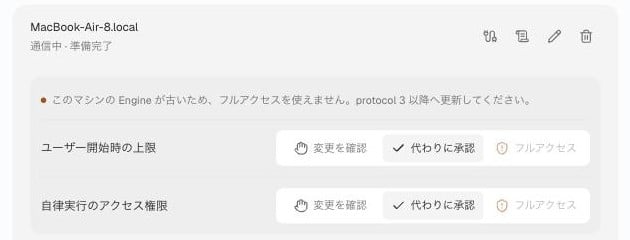
Settings → Machines: the ceiling for user-started runs and for autonomous runs, per Machine.
Board, Calendar, and Gantt are back
The view switcher at the top right of a Project page offers List / Board / Calendar / Gantt. All four share List’s compact marks and the folded Cogno lane.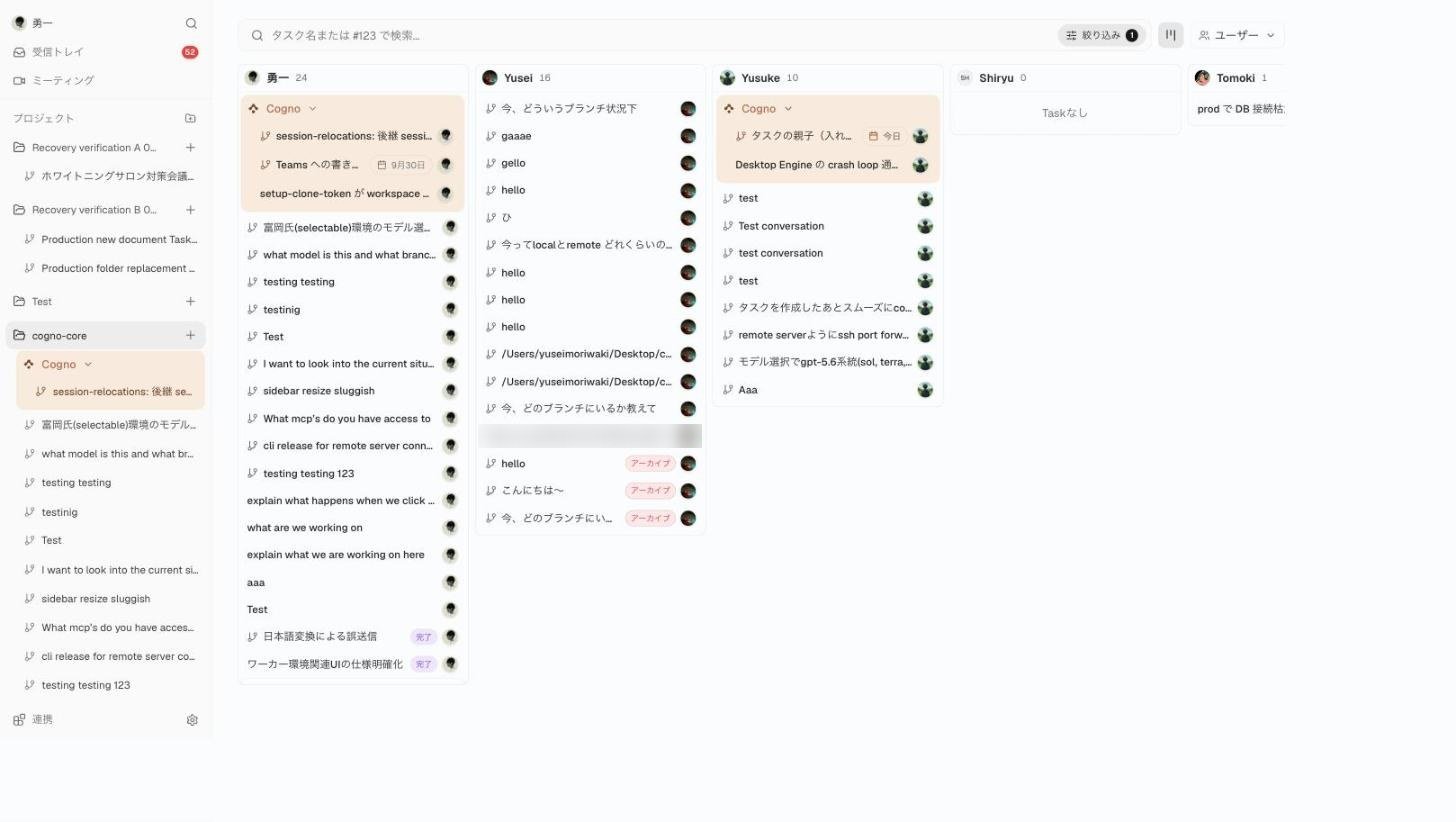
Board grouped by person. Drop a card on another member to reassign it, or on Unassigned to clear it.
- Board by person shows only human members. Moving a shared card only moves the assignee you grabbed.
- Filters by status, tag, assignee, start, and due date are remembered per Project and per user.
- Bulk edit on the Tasks page adds row checkboxes and an action bar to move, archive, or delete many Tasks at once.
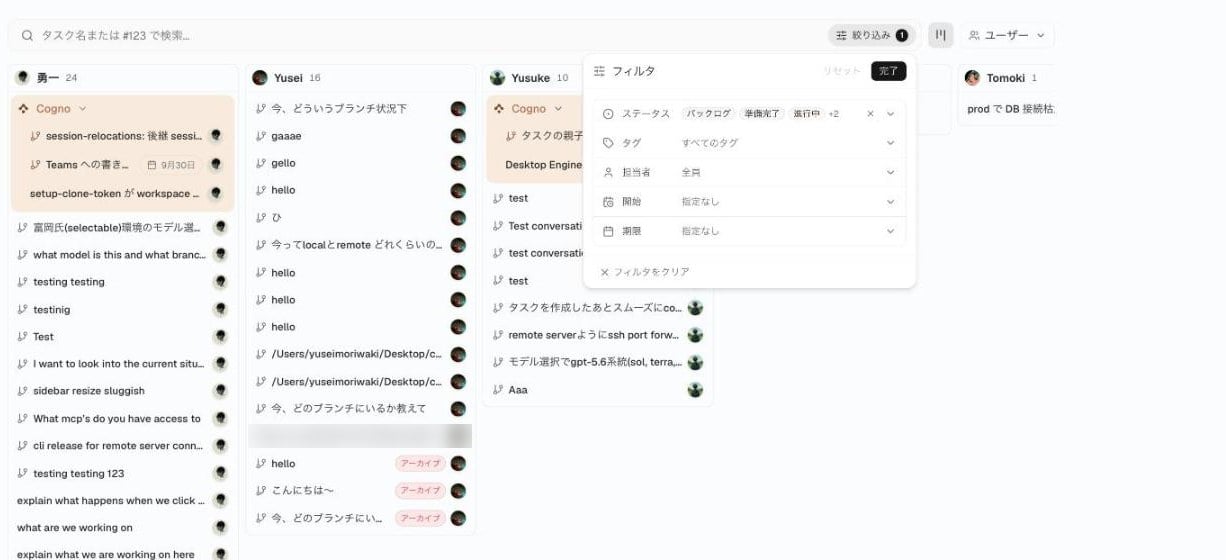
The filter panel, shared by every view.
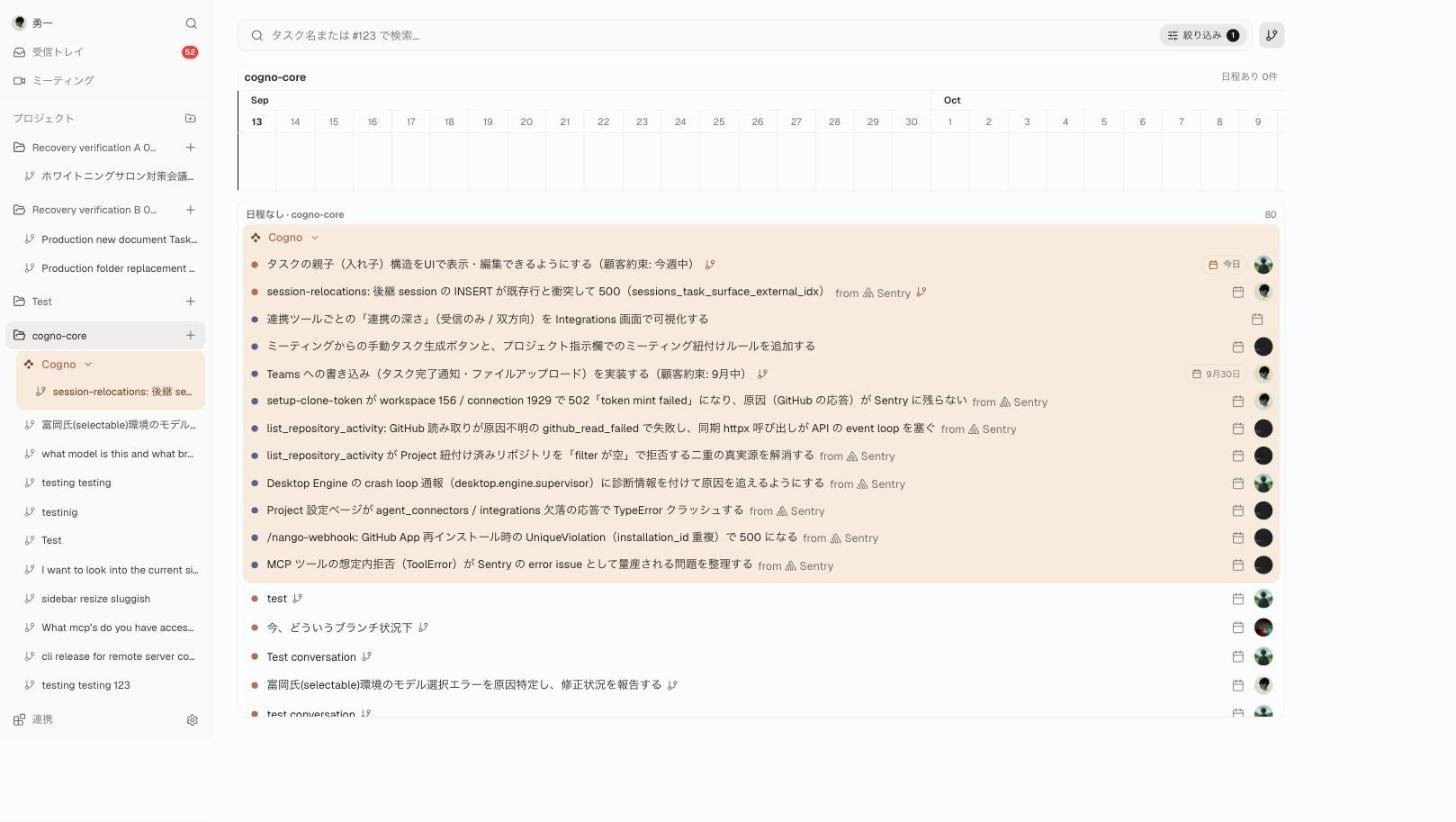
Gantt: dated Tasks on the timeline, undated Tasks listed below.
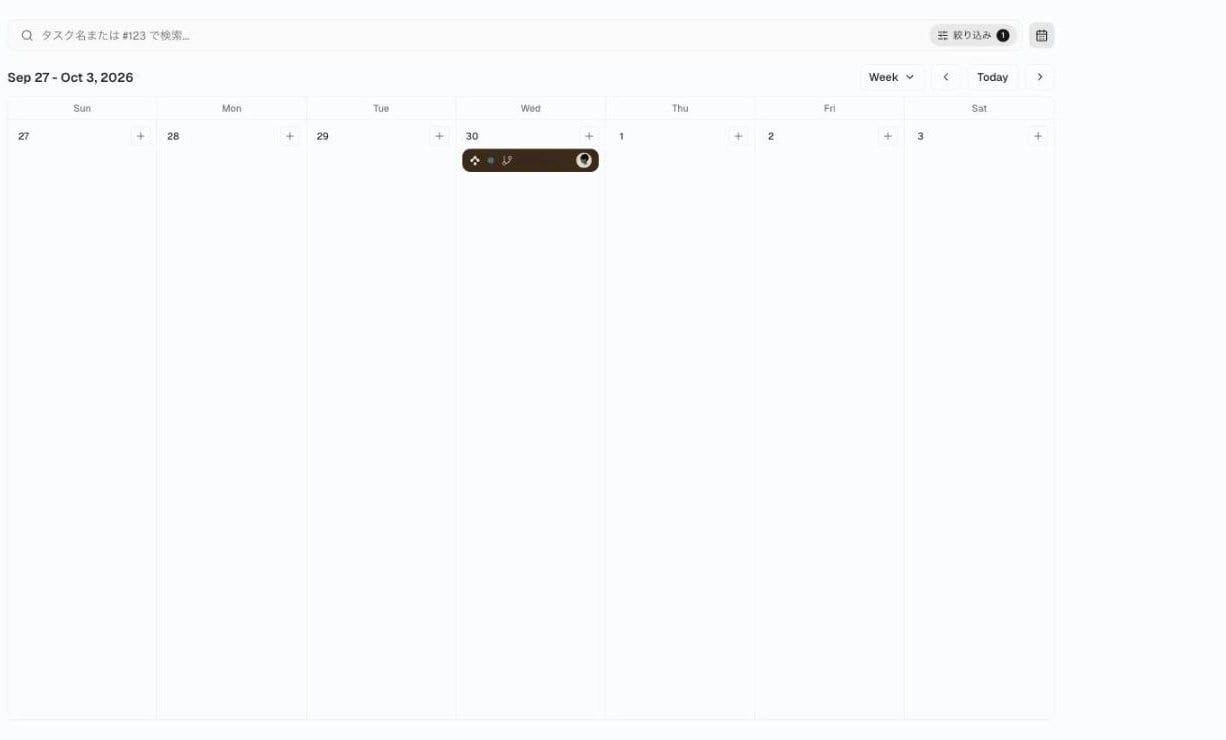
Calendar with Week, Month, and Year ranges.
Search everything with ⌘K
A magnifier in the sidebar opens the command palette. Type what you are looking for, such as “recording”, “language”, or “ssh”, in English or Japanese, and Cogno jumps to the matching Settings section and highlights it. The Settings rail search uses the same index.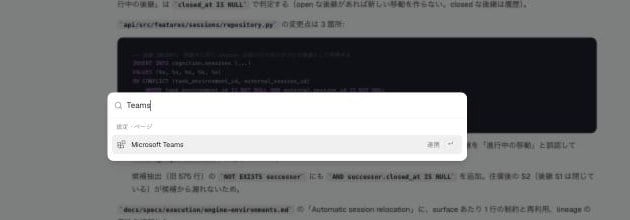
Searching for Teams from anywhere in the app.
Report a problem from inside Cogno
Settings → Account → Support has a Report a problem or request card. Choose Problem, Request, or Not sure, describe what happened, and attach up to three screenshots by paste, file picker, or drag-and-drop. You receive an auto-reply by email and the conversation continues there. Error screens and failed or offline Task notices link to the same form.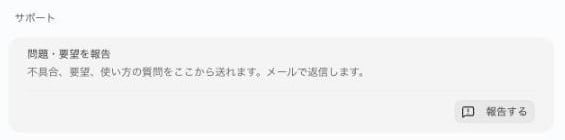
The Support card in Account settings.
Recover a Task whose folder no longer matches
When a Task cannot run because its repository binding and local folder disagree, the notice opens a dialog with Run directly / Run in a Worktree / Choose another folder. Your choice is remembered for that Project and Environment, and new Tasks inherit it. Document Tasks are no longer auto-bound to a single GitHub repository.Integrations
- Microsoft Teams — connect several Teams from one tenant and switch, add, or disconnect them individually. Sign-in and admin consent open in your browser and return to Desktop, so setup no longer needs the web app.
- Connectors — an Enable / disable all switch per coding agent in Account settings; connectors that are off show as “Not used”. Connections no longer get stuck on “Updating”.
- Slack — Cogno reads current messages and threads live, and when it takes over a Slack-originated request it reacts, replies in the thread, and posts the result back.
- Meetings — choose a Project in the Send Cogno Notetaker panel before dispatch. Fixed: renaming a meeting crashed, summary bullets duplicated, and the recording badge flashed white during huddles.
- Google Calendar uses its official mark.
Light theme polish
Status bands, sidebar chrome, selection surfaces, drag indicators, and the In Progress person tabs follow the theme, dense text is lighter, and hover gaps between rows are bridged.Desktop
- Offline start — if the app opens without a network, the loading screen retries every second, offers Retry after three failures, and opens your Workspace when the connection returns. Reload keeps the theme and restores the Task before first paint.
- ⌘Q hides the window immediately and stops child processes in parallel.
- Auto-update no longer fails while the Engine is draining.
- Sign-in — Google and Apple sign-in return to the app correctly, and abandoning the browser flow no longer traps you on the loader.
- Permissions — the Desktop permission check in Account settings shows Not checked and starts the runtime on Check / Retry.
- Diagnostics — Collect logs includes supervisor, updater, and sidecar events plus Cogno.log, so support can see what only Desktop can see.
Execution fixes
- New runs use whichever coding agent is signed in, and tell you to run
claude auth loginorcodex loginwhen neither is. - Quick Create with a base branch works on the first send.
- The Machines page shows worktrees immediately, with “checking” states while they load.
- Archiving or unarchiving a Project twice is safe.
- Cogno can update, rewrite, and archive Tasks during a run.